


Get Ahead with Smart Productivity and Enhanced Privacy & Safety in the brand-new OPPO ColorOS 13
- Written by: Telegraph Magazine
SHENZHEN, CHINA - Media OutReach - 15 September 2022 - Over the past years, with each successive generation of ColorOS, OPPO has aimed to bring users a more convenient and human-centric operating system that allows them to enjoy a highly efficient and easy-to-use experience on their smart devices.
On the newly launched ColorOS 13, OPPO has included a series of upgraded features designed to help users to live and work more easily and more intelligently with a variety of OPPO devices as they unlock the power of the era of intelligent connectivity.
Improving working efficiency across multiple devices
It's now more common than not to have to work with multiple devices like a computer and a smartphone at the same time. Despite some advantages, having to constantly switch between the two devices can be frustrating and time consuming. OPPO first introduced Multi-Screen Connect on ColorOS 12 to help solve many of these frustrations, and now on ColorOS 13, OPPO has taken a step further to enhance this feature with some new capabilities.
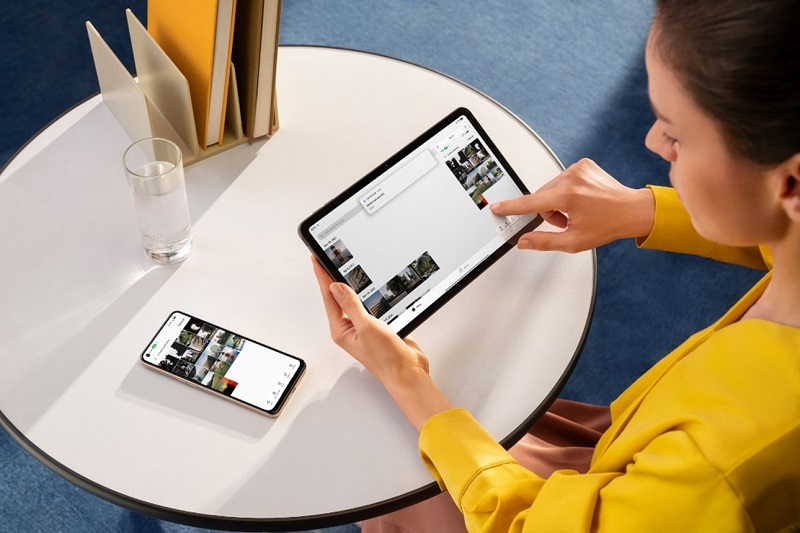
The upgraded Multi-Screen Connect now includes support for OPPO Pad Air, which was launched in May earlier this year. The 2K display tablet includes powerful productivity and immersive entertainment features and can now sync-up and interact with OPPO smartphones using Multi-Screen Connect. Just one tap of the Multi-Screen Connect toggle in the Control Center can connect a smartphone to the OPPO Pad Air, supporting operations like screen casting, reverse control, file transfer, and copy and paste of text between devices. With the exclusive UI features on ColorOS 13 for large screens, users can now maximize the way they interact with their OPPO tablet.
Connection between PCs and OPPO devices has also been enhanced in ColorOS 13. Multi-Screen Connect now supports the simultaneous display of two different smartphone apps plus screen mirroring on a PC screen, enabling users to work more easily with multiple apps on the large screen instead of switching between apps on the phone, helping to significantly improve multi-tasking efficiency[1]. 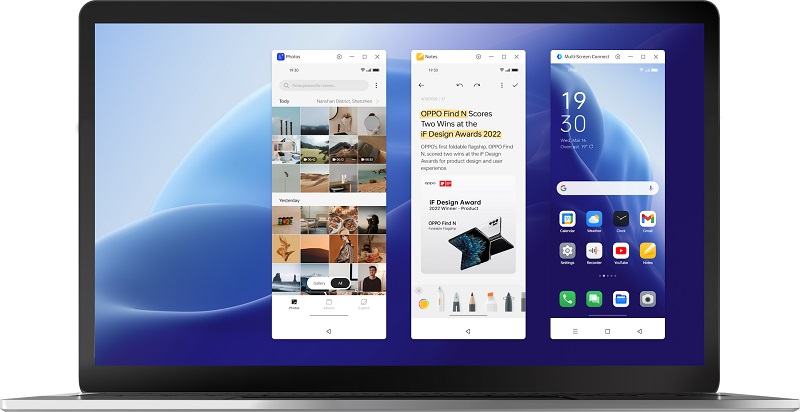
The upgraded Multi-Screen Connect also makes it much easier and faster to transfer files between devices. Rapid file transfer from OPPO smartphone to OPPO tablet or smartphone to PC can be done without consuming any mobile data, and most major file types are supported, including images, music, documents, and videos. Users can also benefit from the Nearby Share feature from Android 13[2], which can be used to transfer files between a phone and nearby Windows devices and clipboard sharing for copying and pasting text across devices.
Now you can seamlessly switch and work across your smartphone, PC and OPPO tablet, enjoying enhanced efficiency and convenience at work or home.
Boosting remote meeting productivity
With remote working becoming such a normal part of people's lives, OPPO has introduced the Meeting Assistant on ColorOS 13 to help boost productivity during online meetings.
Once the phone detects that you are in an online meeting, it will trigger adaptive network optimizations to allocate more network resources to meeting apps such as Zoom, Microsoft Teams, and Google Meet, ensuring a smoother and higher-quality internet connection during important meetings. Meanwhile, the Meeting Assistant will also minimize distractions by simplifying notifications, including changing regular banner notifications to simplified banner notifications with only single-line-text content. 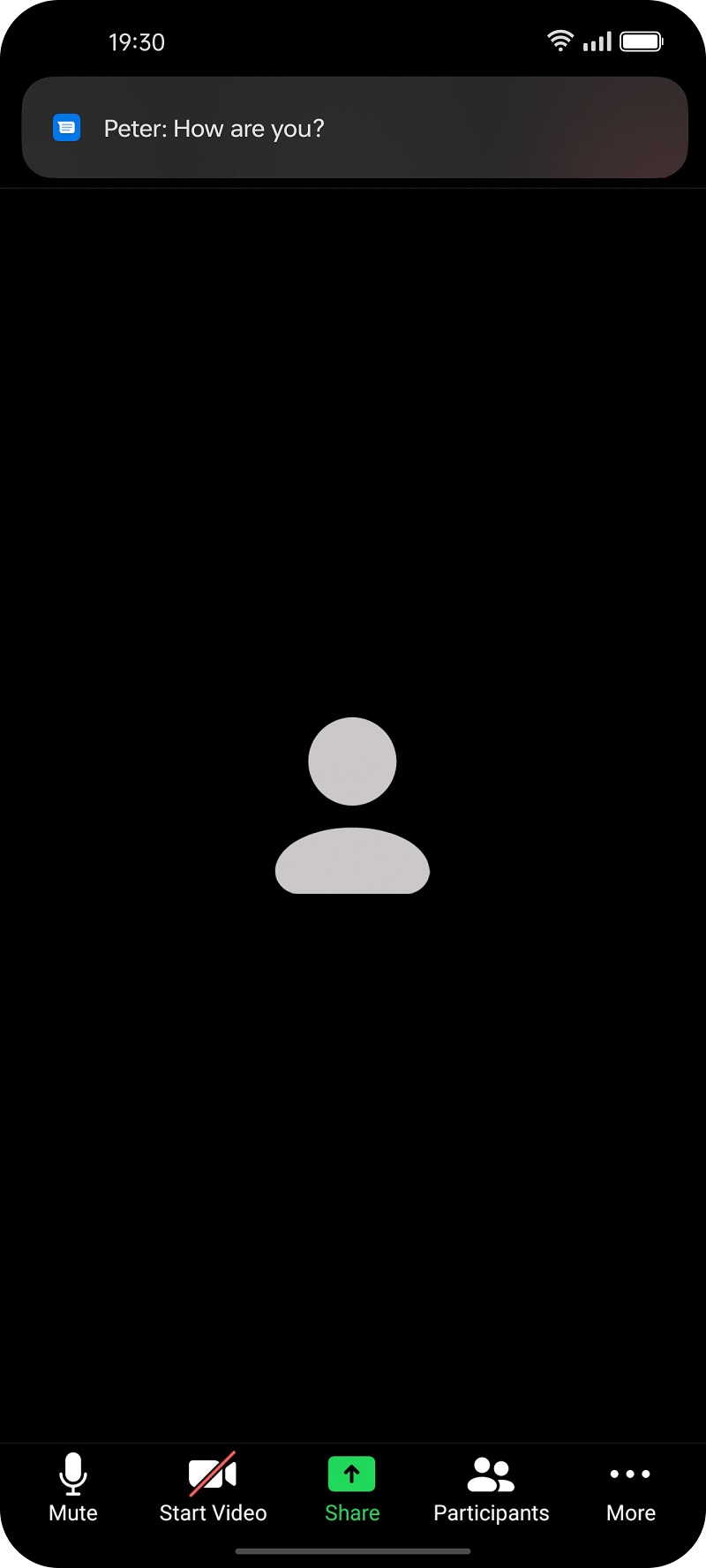
Protecting information privacy and data security
ColorOS 13 also includes enhanced privacy and safety functions to help you feel safe and secure when using your smart devices. As we share more and more of our lives online, it can be difficult managing which information should be shared or not. That's why OPPO has introduced the Auto Pixelate feature into ColorOS 13. The feature is based on the on-device algorithm model. With just one click, Auto Pixelate can automatically recognize and pixelate sensitive information like profile photos and names on chat screenshots in Facebook Messager and WhatsApp, making it easier to share your screenshots privately and safely. 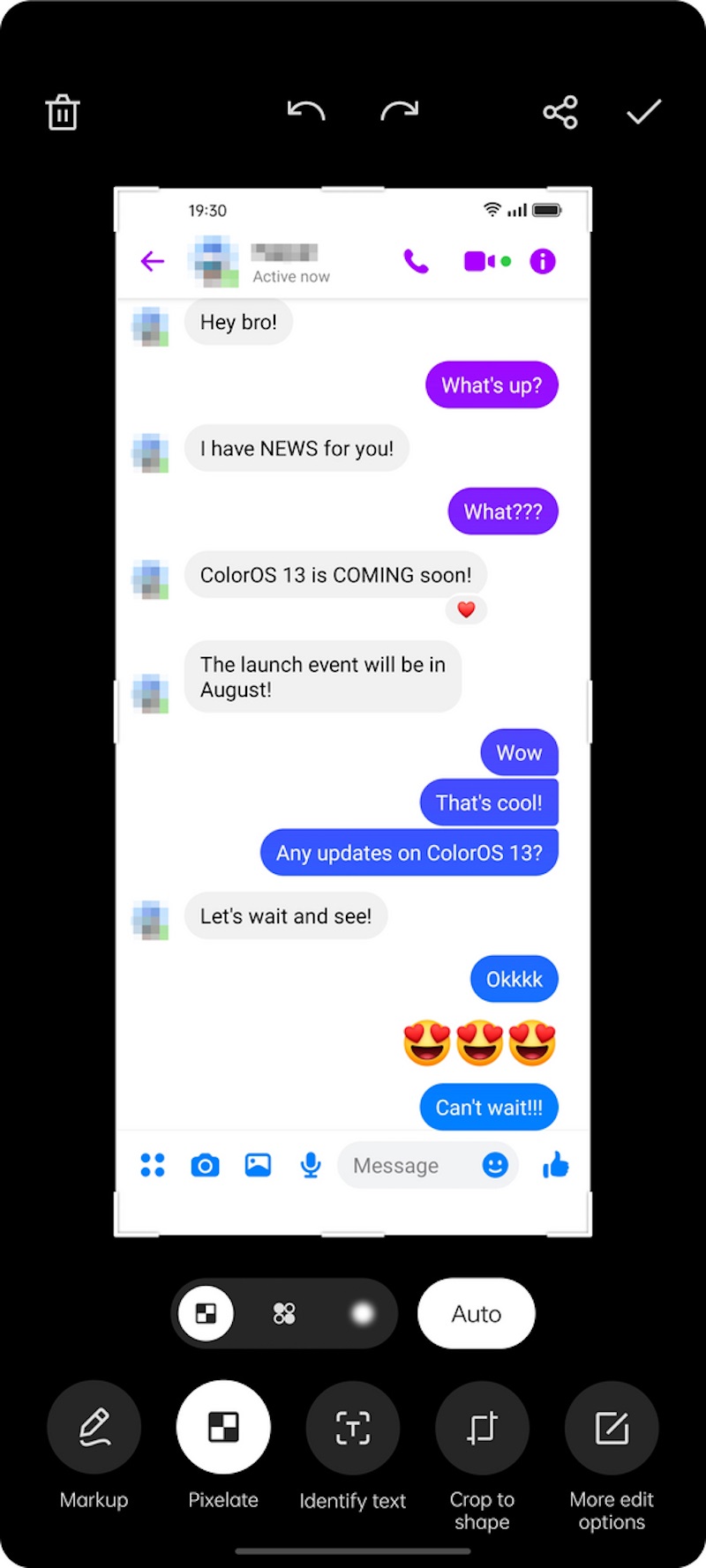
The new Private Safe in ColorOS 13 comes with the adoption of the widely used Advanced Encryption Standard, which keeps pictures, videos, and other files encrypted and stored under a locked, private directory. Files in Private Safe need to be decrypted before they can be shared or transferred, ensuring an extremely high level of security for your sensitive data.
Moreover, the underlying privacy capabilities of Android 13 have been integrated into ColorOS 13 to provide comprehensive, all-round safety. Data copied to the clipboard can be automatically deleted after a short period of time, preventing unwanted access to personal information by third party apps. When connecting to Wi-Fi, no location permissions will be asked for, ensuring no unnecessary disclosure of your location data. ColorOS 13 also provides more options when granting notification permissions, allowing users to minimize disruptions from a large number of unwanted notifications.
Thanks to its wealth of privacy and security features, ColorOS 13 has been recognized by authoritative third-party organizations including ISO, ePrivacy, and TrustArc. This recognition demonstrates OPPO's ability to protect user privacy and safety to a level that exceeds industry standards.
Starting with the Find X5 Pro and Find X5, OPPO users worldwide will soon be able to enjoy the smart productivity and enhanced privacy provided by ColorOS 13.
Hashtag: #OPPO
About OPPO
OPPO is a leading global smart device brand. Since the launch of its first mobile phone - "Smiley Face" - in 2008, OPPO has been in relentless pursuit of the perfect synergy of aesthetic satisfaction and innovative technology. Today, OPPO provides a wide range of smart devices spearheaded by the Find X and Reno series. Beyond devices, OPPO also provides its users with ColorOS operating system and internet services such as OPPO Cloud and OPPO+. OPPO has footprints in more than 60 countries and regions, with more than 40,000 employees dedicated to creating a better life for customers around the world.
About ColorOS
ColorOS is a highly customized, efficient, intelligent, and richly designed Android-based mobile OS from OPPO. With over 500 million global monthly active users, ColorOS supports 67 languages, including English, Hindi, Thai, and Indonesian.


